
Toggle the “standard dimensions” option in the library off. This will display all available sizes for the selected product. In most cases, however, the easiest option is to resize the product directly.
You can change dimensions in two ways:
- Press S on your keyboard
- Select the product and click Resize in the bottom toolbar
You will see one or two sliders depending on the product. Drag the sliders to adjust the size.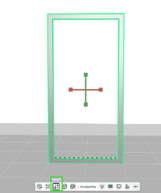
- Green indicator: size is within standard production limits
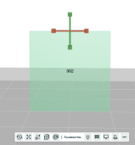
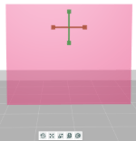
- Red indicator*: size is not supported in beCAD®. In this case, you can always contact your project leader to discuss custom production options
- Green indicator: size is within standard production limits
Note: Not all lightbox and door options are available in the beCAD® web library. Feel free to contact our project leaders for more inquiries.