
To add an accessory:
- Select a frame in your project.
- The bottom toolbar will appear.
- Choose the accessory you want to add (e.g. weights, base plates, lights, or TV brackets).
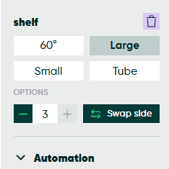
- A configuration panel will appear at the bottom of the Scene Objects panel.
- Configure the accessory and add it to the frame.
To remove an accessory:
-
Click on the trash can icon on the right.
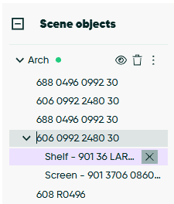
- Alternatively, you can expand the groups in the scene objects panel and delete the accessory from there.
Please note: in beCAD® accessories are currently put at default places, heights. In reality in might be possible to change the actual positioning of this accessory. Depending on the product and the size of the frame, you may also be able to add multiple accessories such as several lights or shelves.